


This article was automatically translated from the original Turkish version.
Mission Planner is a comprehensive ground control station (GCS) software developed for open-source autopilot projects. Created by Michael Oborne, this application provides a central platform for configuring, controlling, and mission planning for unmanned vehicles' (UAVs, helicopters, rovers, etc.). This software is compatible exclusively with the Windows operating system and is free to use with a community-based structure.
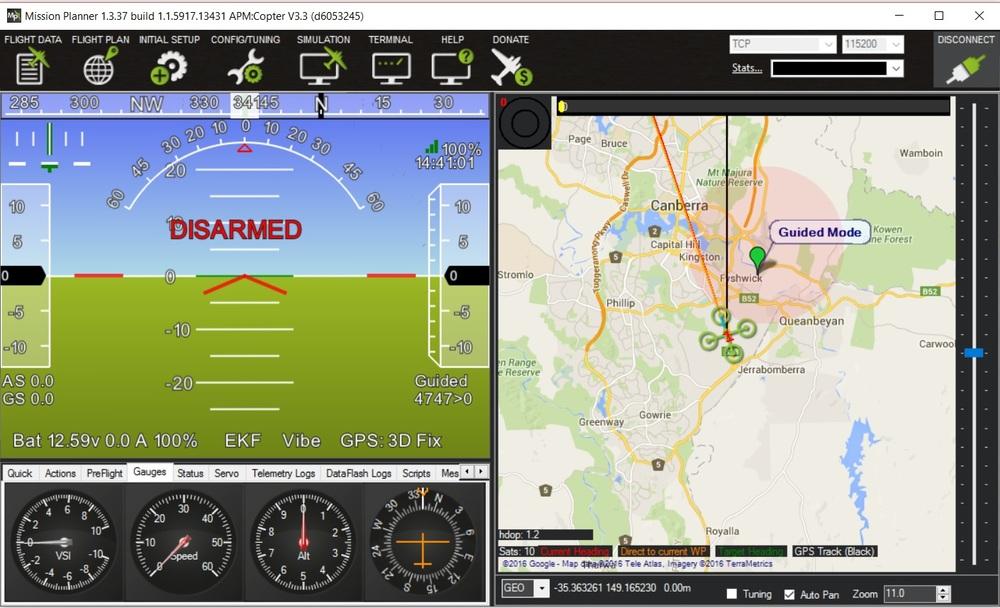
Mission Planner Initial Screen (ArduPilot)
Mission Planner enables communication between the vehicle controller and the computer, allowing users to set necessary system parameters and monitor the vehicle in real time. Through its map-based interface, users can define mission waypoints and create autonomous duties. The built-in parameters assist the vehicle in autonomous operation. Additionally, it saves data from mission logs, enabling analysis and the use of advanced debugging tools. The software uses the MAVLink communication protocol, allowing it to transmit sensor data, location information, and status/error messages in real time.
One of Mission Planner’s primary functions is its role as a mission planner. With this feature:
Created missions can be directly uploaded to the autopilot controller and modified as needed.
The software presents telemetry data from the vehicle to the user through graphs and gauges. During flight, the vehicle’s position, speed, altitude, battery status, system alerts, and sensor performance can be monitored and evaluated via the HUD (Heads-Up Display) screen. Additionally, real-time logging of telemetry data allows for detailed post-mission analysis through advanced graphical representations.
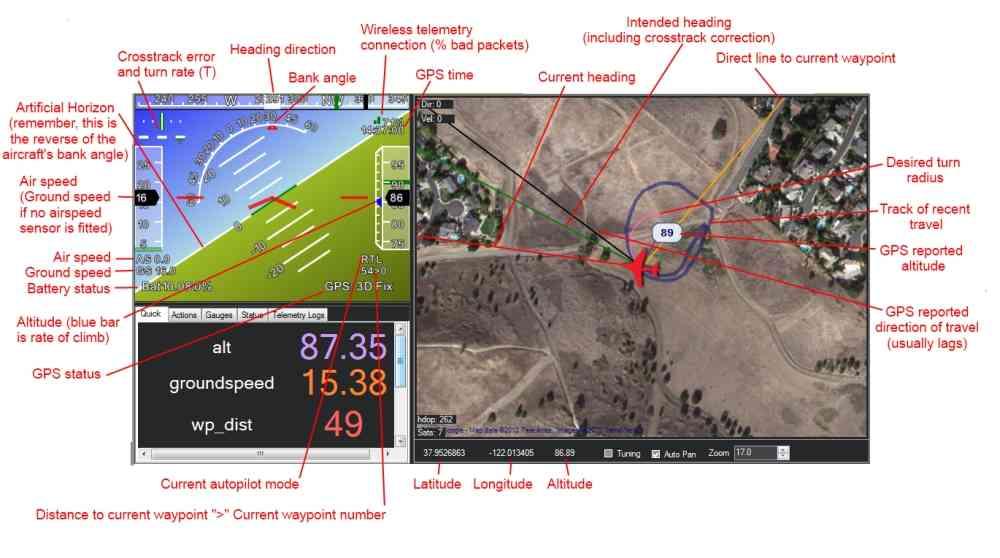
HUD – Heads-Up Display – Screen (ArduPilot)
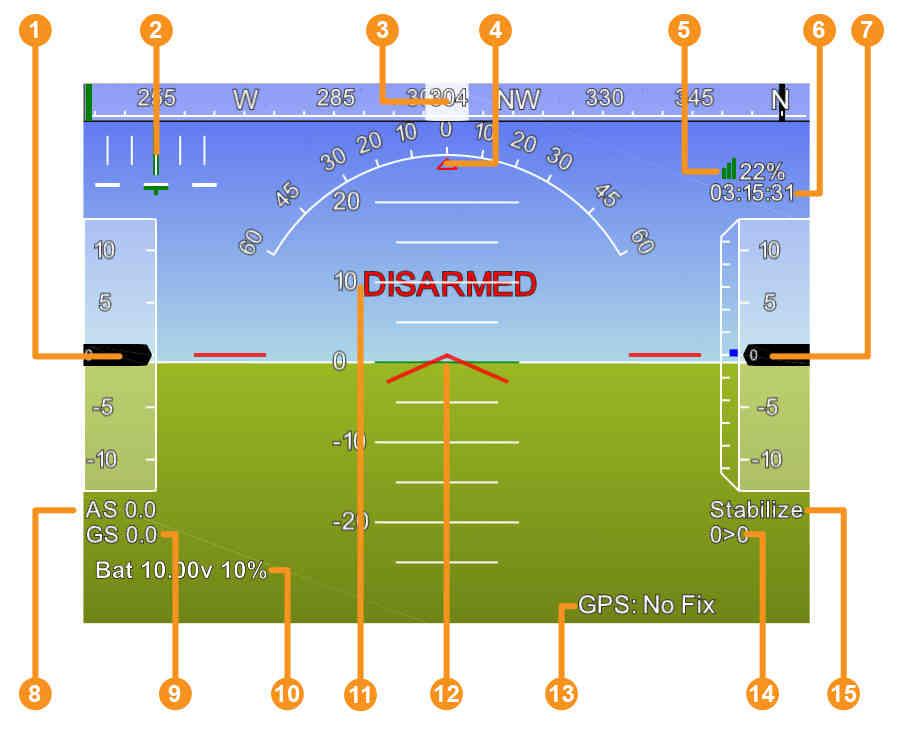
Detailed HUD – Heads-Up Display – Screen (LINK[6c86aef2ddd411f])
Mission Planner allows users to adjust parameters of the vehicle controller to ensure more stable operation. Basic settings such as PID tuning, sensor calibration, and flight modes, as well as more complex configurations, can be managed through this software. Additionally, it informs users of incorrect or incomplete settings, helping to ensure more reliable system performance.

General Features
Mission Planning
Mission Monitoring and Telemetry
Defining Parameters and System Settings
