

This article was automatically translated from the original Turkish version.
Universal Serial Bus (USB) is a standardized interface developed to simplify connections between personal computers and peripheral devices, replacing serial and parallel portsserial and parallel ports. This architecture, defined in the mid-1990s by industry leaders, establishes an expandable plug-and-play hardware model requiring minimal user intervention.
USB’s physical connection structure is based on a tiered star topology. At the top of this structure is the host computer and a single root hub. The system topology can be extended up to seven tiers and allows up to 127 physical devices to be connected through a single host controller【1】. Hubs are used to extend the communication network, and each device is assigned a unique 7-bit address by the system. Data communication is performed using differential signaling over two data lines called D+ and D-. This low-voltage differential pair provides protection against electrical noise by interpreting the voltage difference between the two lines rather than their absolute voltage values. During transmission, Non-Return-to-Zero Inverted (NRZI) encoding is used, and bit stuffing is applied by inserting a logical 0 bit after every six consecutive logical 1 bits to maintain synchronization of the hardware clock.

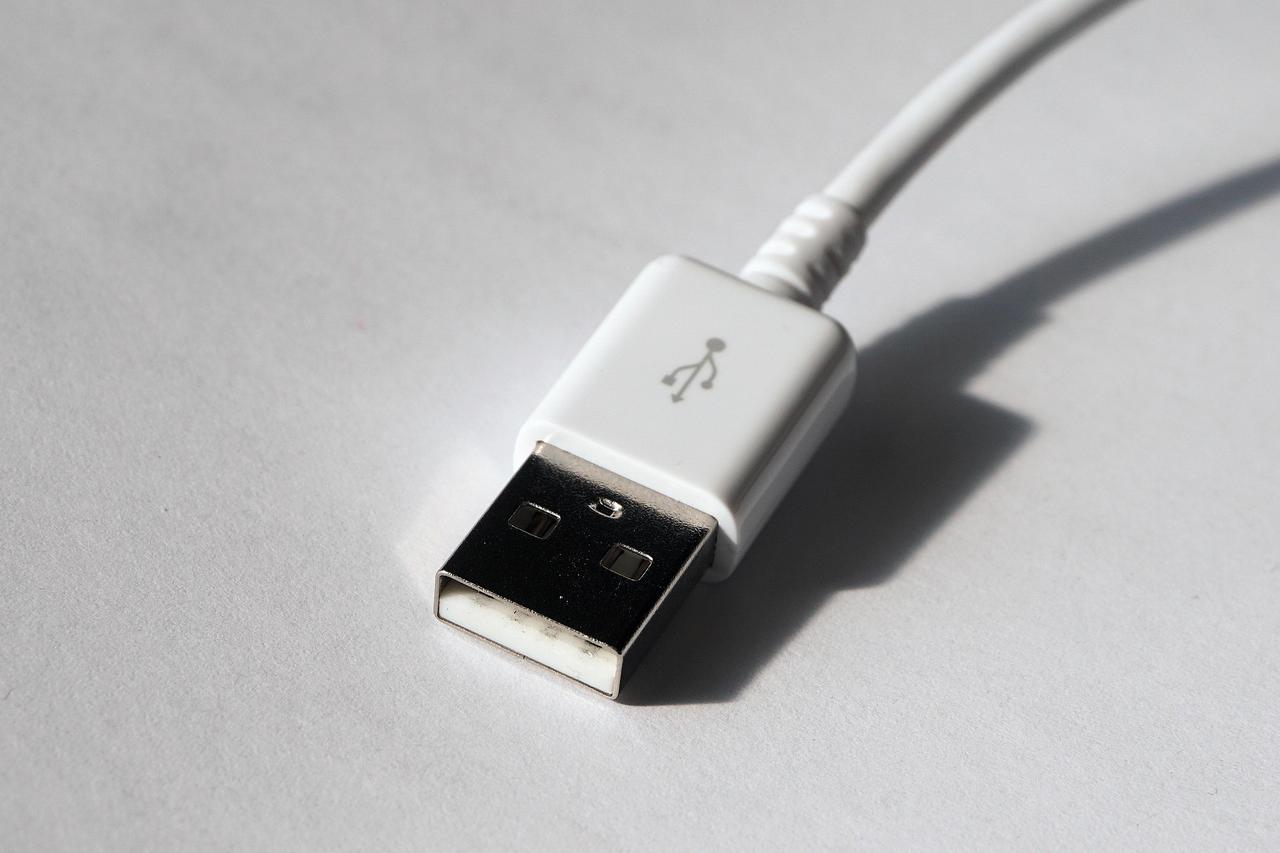
Standard USB, known as Type-A (Pixabay)
Communication over USB is packet-based and under direct control of the host; all operations are initiated according to the host’s bandwidth scheduling. Data packets are primarily categorized into four types: token, data, status, and special packets. Data transfer is supported through four communication modes: control for command and status information, bulk for large data volumes, interrupt for periodic data needs, and isochronous for real-time operations requiring guaranteed bandwidth. In real-time control systems, USB and hub hardware introduce specific transmission latencies. Statistical analyses and millisecond-level tests show that PS/2 or USB mice directly connected to a computer communicate faster than those connected through a USB hub. Although hubs generally introduce latency by adding layers to the communication protocol, in high-data-volume devices such as video capture hardware, this latency has been observed to be reduced or unchanged compared to direct connections. Consequently, the USB architecture provides a suitable interface for flexible soft real-time systems that can tolerate latencies on the millisecond scale.
The USB standard provides power delivery alongside data transfer via the VBUS line, which supplies a nominal +5 V voltage. According to standard specifications, a USB 1.0 port can deliver up to 100 mA at 5 V, a USB 2.0 port up to 500 mA (0.5 A), and a USB 3.0 port up to 900 mA (0.9 A)【2】. The USB Power Delivery specification extends this limit up to 100 W through special configurations. Mobile devices, tablets, and portable chargers (power bank) from different manufacturers may attempt to draw 2.5 A or more from a computer’s USB port depending on their design. Such overloading beyond the designed limits can trigger circuit breakers or cause thermal shutdown of power distribution switches, and in systems lacking internal current limiters such as PCI card-based systems, it may damage the host computer. Computer manufacturers use power distribution switches like MIC2027 or low-amperage protective fuses (e.g., 0.75 A) to ensure overcurrent protection. Additionally, low equivalent series resistance (ESR) capacitors are placed on the VBUS lines of hubs to limit inrush current during device connection and disconnection and to restrict voltage drop.
Throughout its technological development, USB standards have been continuously updated in terms of speed and connection capacity:

Commonly used connectors for mobile devices and peripherals. (Pixabay)
The process by which an operating system detects and configures a new USB device is called enumeration. When a device is connected, the host detects voltage changes on the data lines (D+ or D-) and initiates dynamic detection, assigning the device a unique address. During this process, the system reads structured data tables known as device descriptors, which contain information about the device’s supported class, maximum packet size, manufacturer, and communication capabilities. The software architecture on the operating system is built on a layered model. On Windows operating systems, the UCX (USB Host Controller Extension) infrastructure is used to communicate with hardware via base host controller standards such as xHCI. The operating system uses a standard function driver called WinUSB.sys to establish general communication with individual peripherals. For composite devices containing multiple logical functions, the general upper driver Usbccgp.sys is activated; this software creates independent physical hardware objects for each function, enabling modular resource management. In addition, Type-C connectors supporting specialized power scenarios are integrated via the UcmCx class, and dual-role structures allowing devices to switch between host and device roles are integrated through the UrsCx programming interfaces.
Compaq, Hewlett-Packard, Intel, Lucent, Microsoft, NEC, and Philips. *Universal Serial Bus Specification, Revision 2.0*. 2000. Accessed February 26, 2026. https://wcours.gel.ulaval.ca/GIF1001/old/a22/docs/USB_20.pdf
He, Fan. "USB Port and Power Delivery: An Overview of USB Port Interoperability." *2015 IEEE Symposium on Product Compliance Engineering (ISPCE)*. IEEE, 2015. Accessed February 26, 2026. https://ieeexplore.ieee.org/document/7138710
Microsoft. "Universal Serial Bus (USB) - Windows Drivers." Microsoft Learn. Last updated May 29, 2025. Accessed February 26, 2026. https://learn.microsoft.com/tr-tr/windows-hardware/drivers/usbcon/
Ramadoss, L., and J. Y. Hung. "A Study on Universal Serial Bus Latency in a Real-Time Control System." In *34th Annual Conference of IEEE Industrial Electronics*. IEEE, 2008. Accessed February 26, 2026. https://ieeexplore.ieee.org/document/4757930
ScienceDirect. "Universal Serial Bus." Computer Science Topics. Elsevier. Accessed February 26, 2026. https://www.sciencedirect.com/topics/computer-science/universal-serial-bus
[1]
Compaq, Hewlett-Packard, Intel, Lucent, Microsoft, NEC, and Philips. Universal Serial Bus Specification, Revision 2.0. 2000. Access date: 26 February 2026. https://wcours.gel.ulaval.ca/GIF1001/old/a22/docs/USB_20.pdf.
[2]
He, Fan. "USB Port and Power Delivery: An Overview of USB Port Interoperability." 2015 IEEE Symposium on Product Compliance Engineering (ISPCE) in. IEEE, 2015. Access date: 26 February 2026. https://ieeexplore.ieee.org/document/7138710.

No Discussion Added Yet
Start discussion for "Universal Serial Bus (USB)" article
Hardware Architecture and Topology
Communication, Bandwidth, and Latency
Power Delivery and Management
Versions and Speed Evolution
Software and Operating System Integration