


This article was automatically translated from the original Turkish version.
PXE (Preboot Execution Environment) is a system that enables a computer to boot over a network before an operating system is installed. Thanks to this technology, a computer can be started via its network interface card without requiring physical storage devices such as a local hard drive or optical drive. With PXE, an operating system image is retrieved from a server on the network (typically a TFTP server), loaded into the system’s RAM, and executed from this environment.
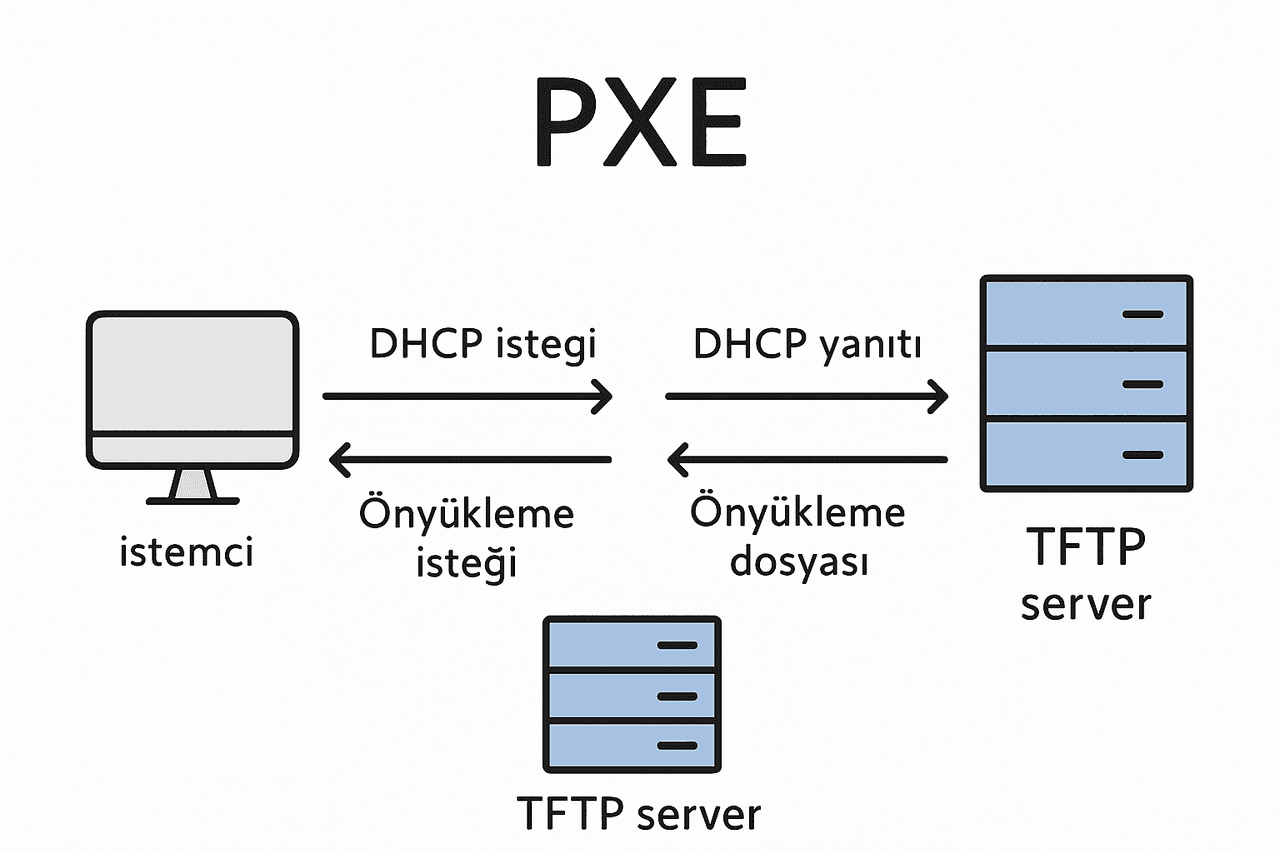
PXE Operation Diagram (Generated by Artificial Intelligence)
PXE was originally developed to install operating systems on terminals that lacked local storage and were known as thin clients. Such systems operate the operating system from a central server to simplify management. Today, PXE is primarily used in large-scale enterprise environments to remotely and automatically deploy operating systems to client computers.
For PXE technology to function, the following core components are required:
The PXE boot process consists of the following steps:
During this process, the client receives its IP address from the DHCP server and the path to the Network Boot Program (NBP) from the PXE server. The client then downloads and executes the NBP.
When the client and server reside on different IP networks, routers must be configured to ensure DHCP and PXE requests reach their intended servers. In such cases, IP helper addresses are configured on the routers to direct DHCP and PXE requests to the correct servers.
When used with Configuration Manager, PXE can be employed to deploy operating systems over the network. In this method, operating system and boot images are sent to a PXE-enabled distribution point. This approach can be used both to update existing computers and to install operating systems on new systems.
The PXE protocol lacks authentication and encryption mechanisms and is therefore insecure. For this reason, PXE clients and servers should only be used in physically secure and controlled network environments.
Bilişim Profesyonelleri. "PXE Boot Nedir?" Accessed May 14, 2025. Accessed Adresi.
Microsoft Learn. "Configuration Manager ile ağ üzerinden Windows dağıtmak için PXE'yi kullanma." Accessed May 14, 2025. Accessed Adresi.
Microsoft Learn. "Farklı bir ağdaki PXE sunucusundan önyükleme." Accessed May 14, 2025.

No Discussion Added Yet
Start discussion for "PXE (Preboot Execution Environment)" article
Historical and Current Usage
Core Components of PXE
PXE Operation Process
PXE Booting Across Different Networks
PXE and Configuration Manager
Security Warnings