

This article was automatically translated from the original Turkish version.
NocoBase is an open-source, self-hosted software platform that enables teams to build data-driven applications using no-code or low-code approaches. The platform is designed for developing internal tools, dashboards, and applications for business processes. In this regard, NocoBase occupies a position among solutions in the no-code ecosystem that focus on data-centric application development.
No-code and low-code approaches aim to accelerate application development by prioritizing visual configuration over traditional coding. These methods have emerged as techniques to lower barriers to software development and increase participation from users across diverse disciplines in the application development process. NocoBase positions itself as a platform that adapts this approach specifically to database-driven applications.
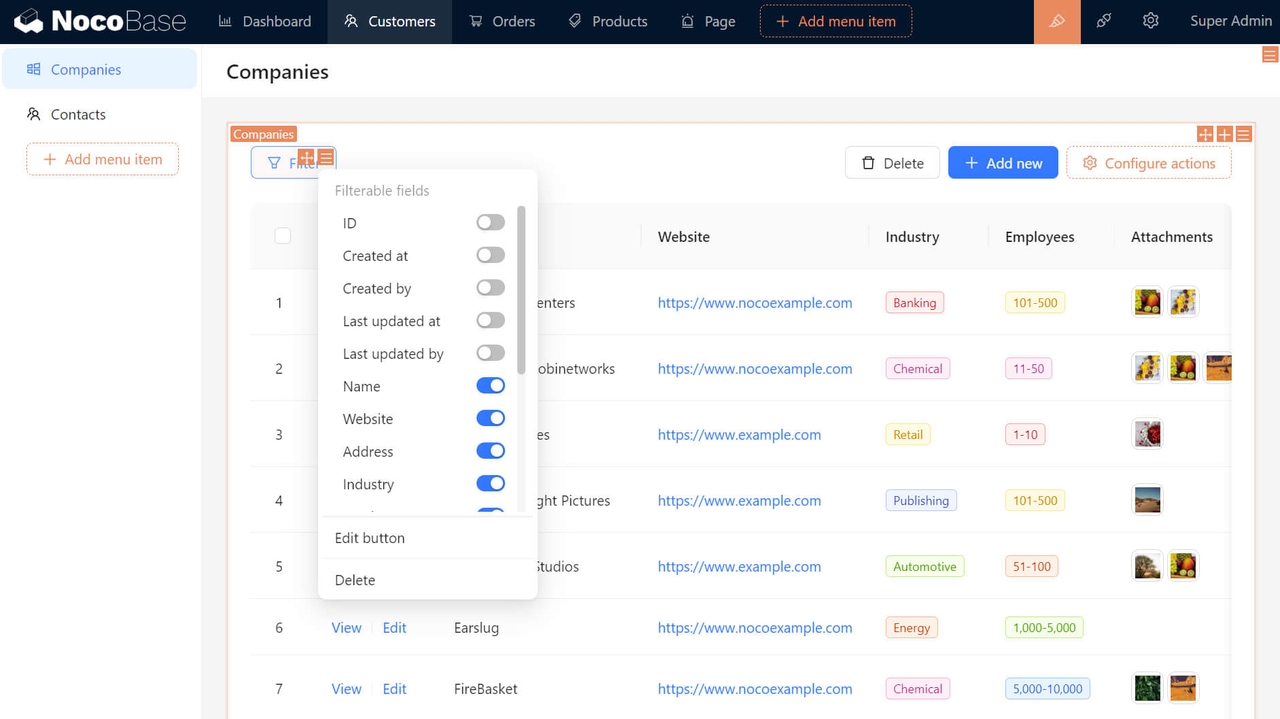
NocoBase allows applications built on databases and data models to be configured with components such as user interfaces, workflows, and authorization systems. Application behaviors and decision logic are defined through page layouts, blocks, and actions without writing code or with minimal code. This structure enables the functional behavior of applications to be directly linked to their underlying data models.

NocoBase Task Management (NocoBase)
The platform does not reduce application development to frontend design alone; it treats data structure, functionality, and user interaction as interconnected elements. This approach aims to prevent no-code tools from being limited to merely generating simple interfaces.
NocoBase is designed with a microkernel and plugin architecture. The core system handles fundamental functions such as plugin management, lifecycle control, and dependency resolution. The primary application functionalities are integrated into the system through plugins. This structure enables the platform to be extended in a modular fashion.
Components such as pages, UI blocks, actions, API endpoints, and data sources can be added or customized as plugins. This allows the platform to be adapted to various use cases and extended by developers with new functionalities.
NocoBase does not provide visual design flexibility for end-user-facing (B2C) applications that prioritize aesthetics or include complex animations, as its interface structure is largely dependent on predefined data models. Although it is a no-code tool, its architecture based on relational database principles requires a learning curve for users without a technical background. Additionally, for highly specialized business logic beyond the platform’s standard plugins, coding in Node.js or React may be necessary. Finally, since system setup and performance management depend entirely on the user’s own server infrastructure, scalability and security configurations are limited by the team’s technical proficiency.
NocoBase does not base its user interface solely on fixed form and table templates. Instead, it adopts a data model-centric structure. Once collections (tables), fields, and relationships are defined, various page layouts and sets of actions can be created based on these data structures.
The same data model can be presented in different ways for different user roles or business processes. The platform supports using external databases and third-party APIs as data sources in addition to its primary database. This approach allows NocoBase to operate without being confined to a single data source.
NocoBase is developed using the TypeScript language. On the server side, it uses Node.js and Koa; on the client side, it uses React. This technology stack supports the platform’s web-based architecture and provides a development environment compatible with widespread software ecosystems.
NocoBase offers multiple installation methods to suit different use cases. The platform can be quickly deployed using Docker. Alternatively, a new NocoBase application can be created using a command-line interface (CLI) tool or run directly by compiling from source code.
These installation options allow NocoBase to be used either entirely through a no-code approach or with low-code and developer-focused customizations. Thanks to its open-source licensing model, the platform can be run on the infrastructure of individual users, teams, and organizations.

NocoBase Working Model
Architectural Approach
Advantages
Limitations
Data Model-Centric Structure
Technology Stack
Installation and Operation Mode